Solving the "Groundhog Day" Problem in AI Software Development: Introducing OAK
I built Open Agent Kit (OAK) to be the "flight recorder" for this new era of development. Many agents, working on many things, with many developers, in a single project.

If you read my previous post on The Joy and Agony of Building with AI Agents, you know I’m all in on agentic workflows. Being able to architect a feature and have the agent build it is a superpower. But that was just the start.
Over the past 3+ years, I have been working with AI-generated code, and around 2 years into working with coding agents, much has changed. Capability, model quality, speed, and tooling have all improved dramatically; however, some core challenges remain, and new ones have emerged. The new challenges, especially, have been an interesting avenue of research for me.
As these tools are now geared towards professional software development within businesses and enterprises, those of us who do this for a living are rethinking everything, from how we build teams to how we budget to how we estimate to the entire software development lifecycle. When we, the humans, are no longer the ones writing the code, this fundamentally disrupts the way we've done these things for the past 20 years.
We have to think beyond the hyperbole and grand claims of job replacement and start thinking pragmatically. Now, we're not going to cover the whole industry in this post, but I do want to talk about some practical ways that we can integrate agents and agentic workflows into the teams that we're in today. And alongside them have tools that solve real problems, don't get in the way of the rapid innovation, and genuinely offer something new and useful.
The "Groundhog Day" Problem
The most immediate friction point in this new lifecycle is what we call the "Groundhog Day" effect.
You spend an hour teaching an agent why we structure our API responses the way we do. It nods (metaphorically), writes great code, and you close the session. The next day, you spin up a new agent for a related task, only for it to completely ignore yesterday's architectural decision. Why? Because that context vanished the moment the session ended. This is not an indictment of your prompting skills (well, mostly 😄) but rather a fundamental limitation of the technology itself.
Git captures the code, but it doesn't capture the story. It doesn't capture the trade-offs, the "gotchas," or the architectural plans we discussed. We are left with a diff that lacks intention...lacks soul.
Why "Just More Prompts" Isn't the Answer
Before building a solution, I tried to solve this manually. I maintained massive context.md and prompt.md files. I meticulously updated .cursorrules and CLAUDE.md. Asked the agent to update the docs, keep the readme current, save the plan to docs.
But here is the hard truth: If a process requires manual discipline to maintain, it will eventually fail.
In the heat of a debugging session, you stop updating the rules file. Your custom agent drifts from the actual architecture. We need something that works for us—an automated background process that brings it all together.
Enter Open Agent Kit (OAK)
I built Open Agent Kit (OAK) to be the "flight recorder" for this new era of development. Many agents, working on many things, with many developers, in a single project.
OAK sits quietly in the background while you work with tools like Claude Code, Cursor, Windsurf, Codex, OpenCode, CoPilot, or Gemini. It automatically captures the plans, decisions, and trade-offs that usually vanish. Then, crucially, it injects that context back into your future sessions...and much more.
The "Tower of Babel": Solving for Teams
If "Groundhog Day" is the pain of working alone, the "Tower of Babel" is what happens when you bring a team into the mix.
In a modern engineering team, I might be using Claude Code to scaffold a microservice. My lead engineer is refining the frontend in Cursor. Another dev is writing tests with CoPilot. We are all committing code to Git, so the files are in sync. But the brains are not. This is not a new problem, but rather an amplified one in this new era of software development.
OAK includes backup and team sync capabilities that allow you to import session data from your teammates. This creates a form of contextual osmosis. When I synchronize and pull in the team's session history, my local agent suddenly "knows" why you chose that specific implementation last week. It could prevent the junior dev's agent from hallucinating a solution that breaks the senior dev's architecture.
Privacy First: The Local Advantage
If you read my articles on Home Lab or Privacy, you know I don't take "just send your data to the cloud" lightly. And it's not just personally, I think businesses need to take this seriously as well. Local also helps keep costs down. My $5,000 MacBook Pro can do a lot more than browse web pages. Fully leverage your investment and save on AI API costs.
OAK is designed to run locally, per project. The daemon runs on your machine. The index, telemetry, and inteligence lives on your machine with your project. When we talk about team sync, we aren't talking about uploading your data to a mystery SaaS API. You control the data flow.
It uses AST-aware semantic search to index your code locally. When an agent asks, "Where is the auth logic?", OAK finds it conceptually, even if the file is named login_manager.py.
It uses local LLM providers that run open-source models, such as gpt-oss, gemma, deepseek, and qwen. Size the models for your hardware, and OAK does the rest. Inference happens in real-time while your agents are working.
Getting Started
I’m a fan of tools that are easy to deploy, upgrade, and maintain. Getting OAK running takes about 30 seconds.
1. Install the CLI. I recommend using Homebrew on a Mac, or our install scripts, which will handle and guide you through the pipx or uv install for you on Mac or Windows:
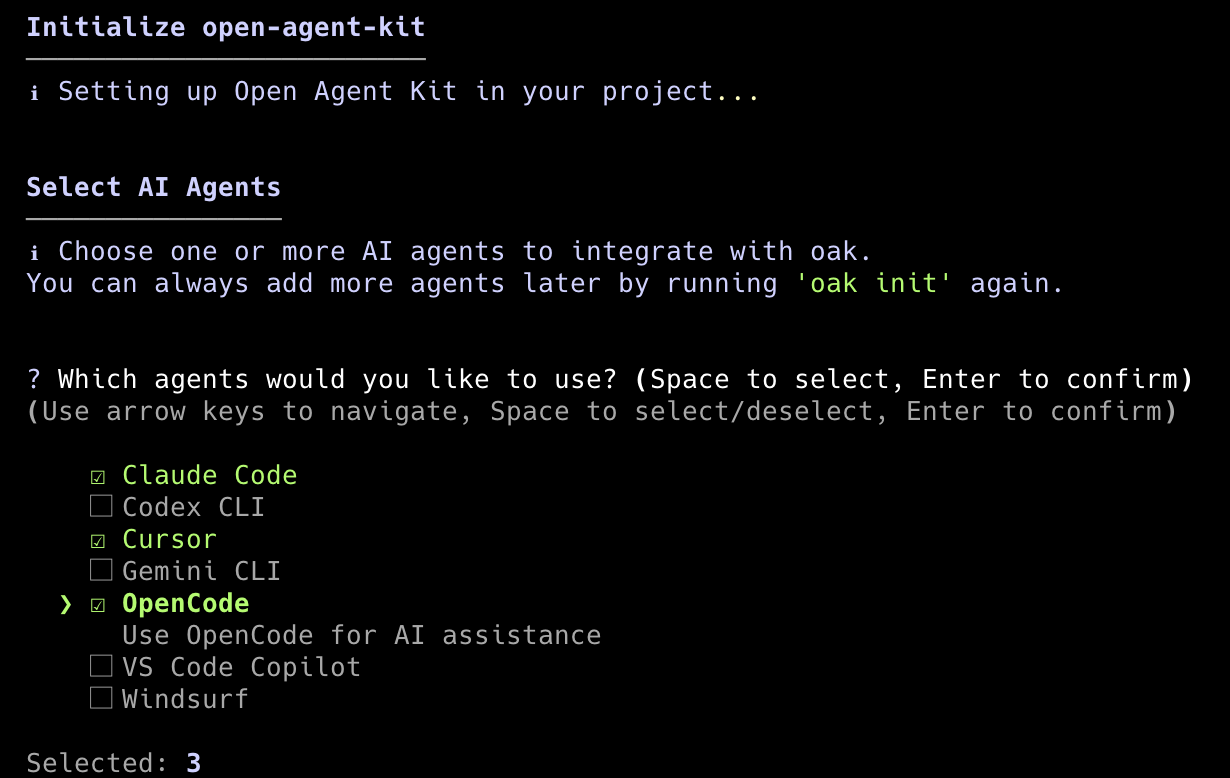
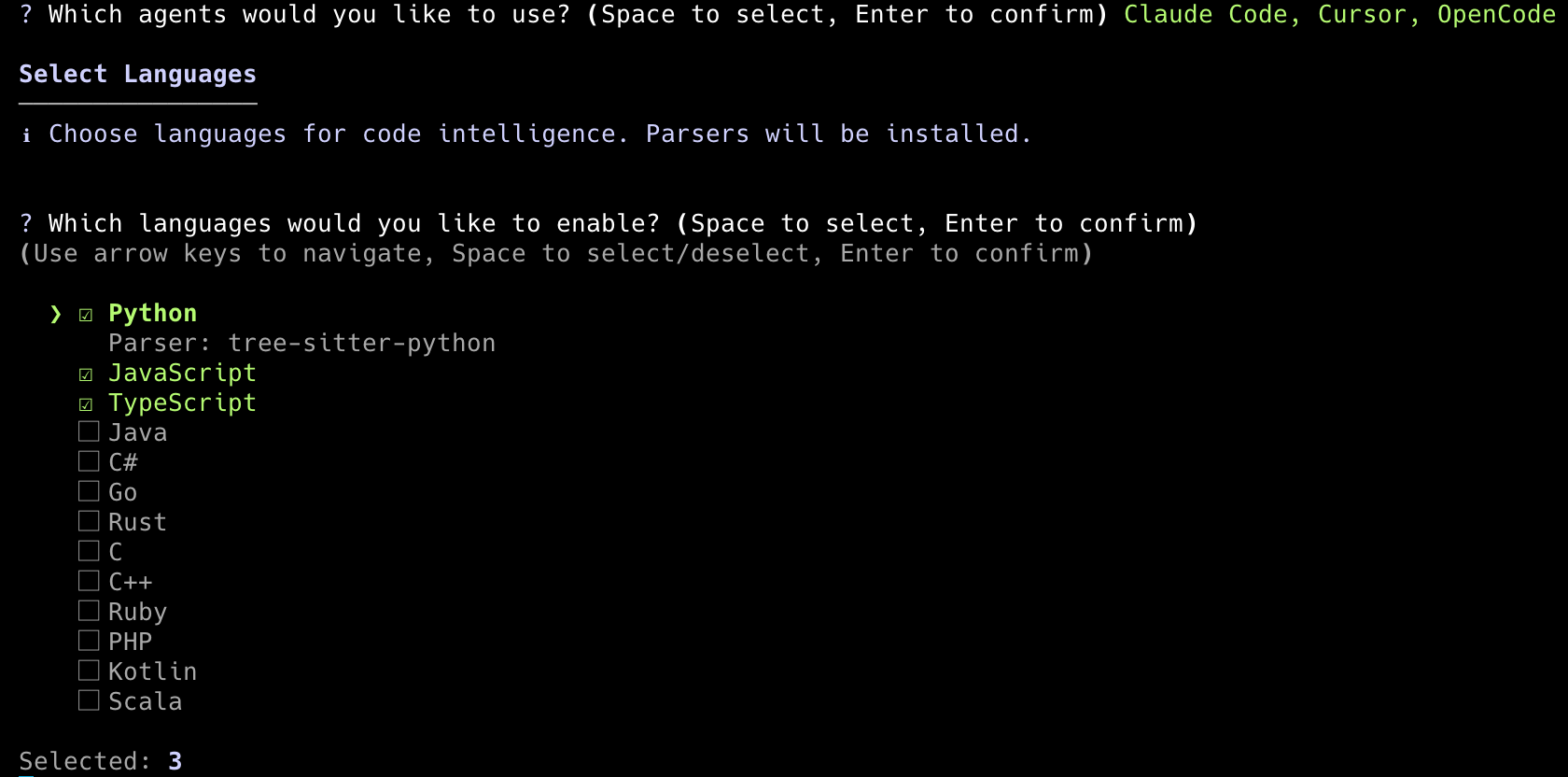
2. Initialize your project. Open your favorite terminal and navigate to your repo, and run init. This interactive mode lets you select your agents and languages. Run again any time after to adjust.
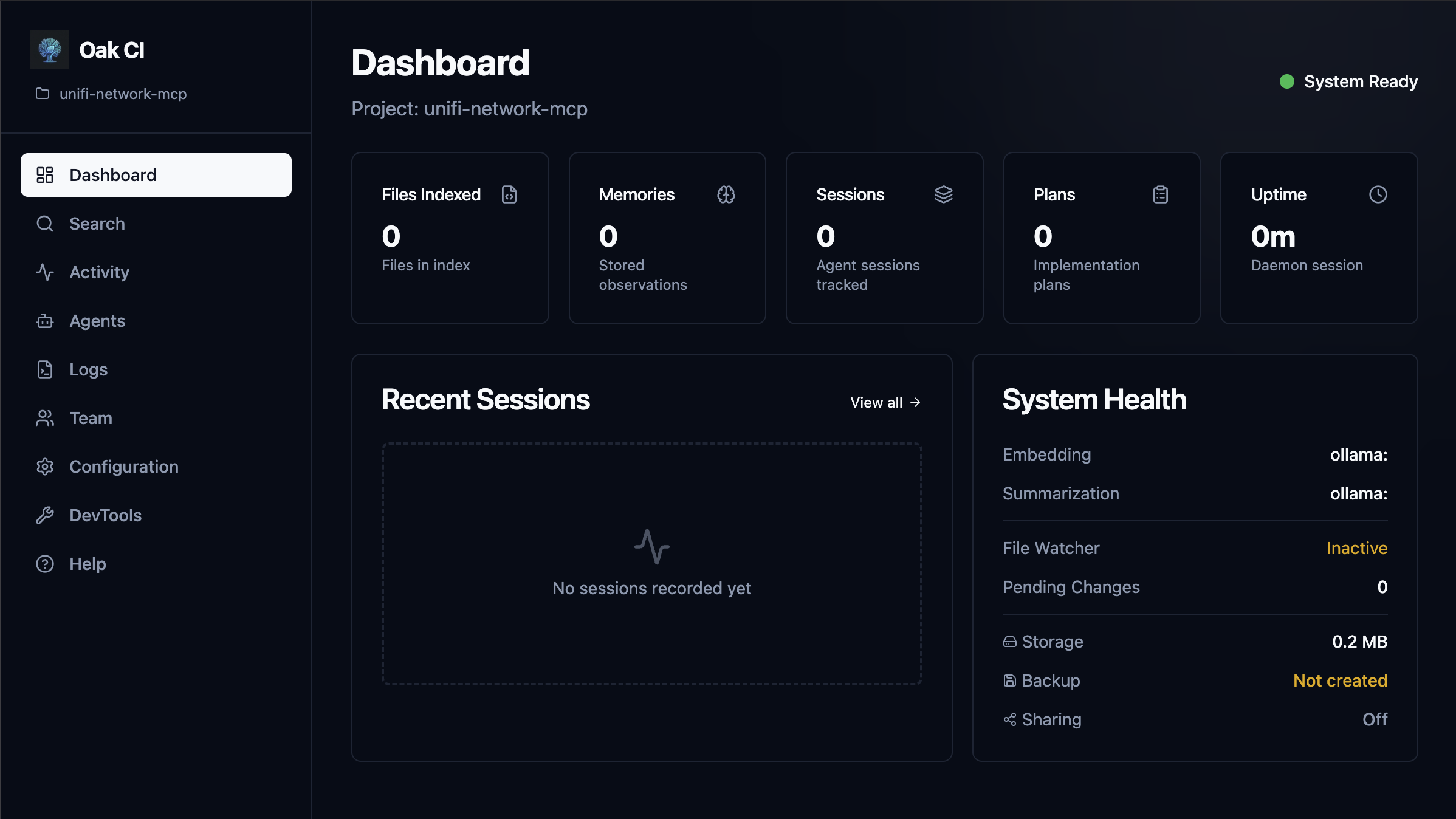
3. Launch the Dashboard. Start the daemon and pop open the UI to start working with OAK:
This takes you to the local web interface for your project, where you need to complete the final configuration step: setting up your local models. You will need something to run those models locally, and any OpenAI-compatible provider will work, though I recommend Ollama or LM Studio. Then you'll need to pull at least one text embedding model and one general-use LLM. I highly recommend viewing the included help docs for a complete walkthrough, but a very basic setup would look like this:
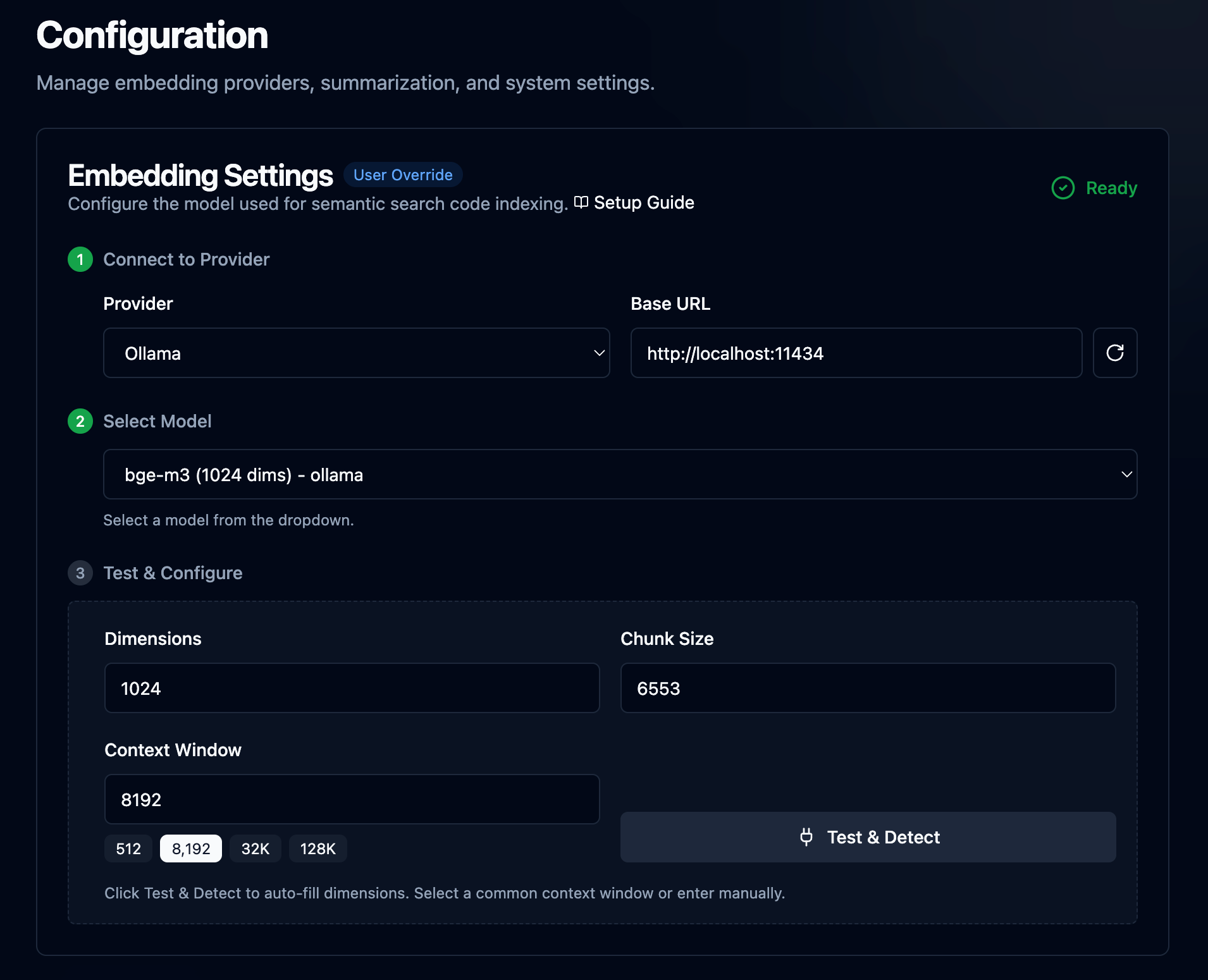
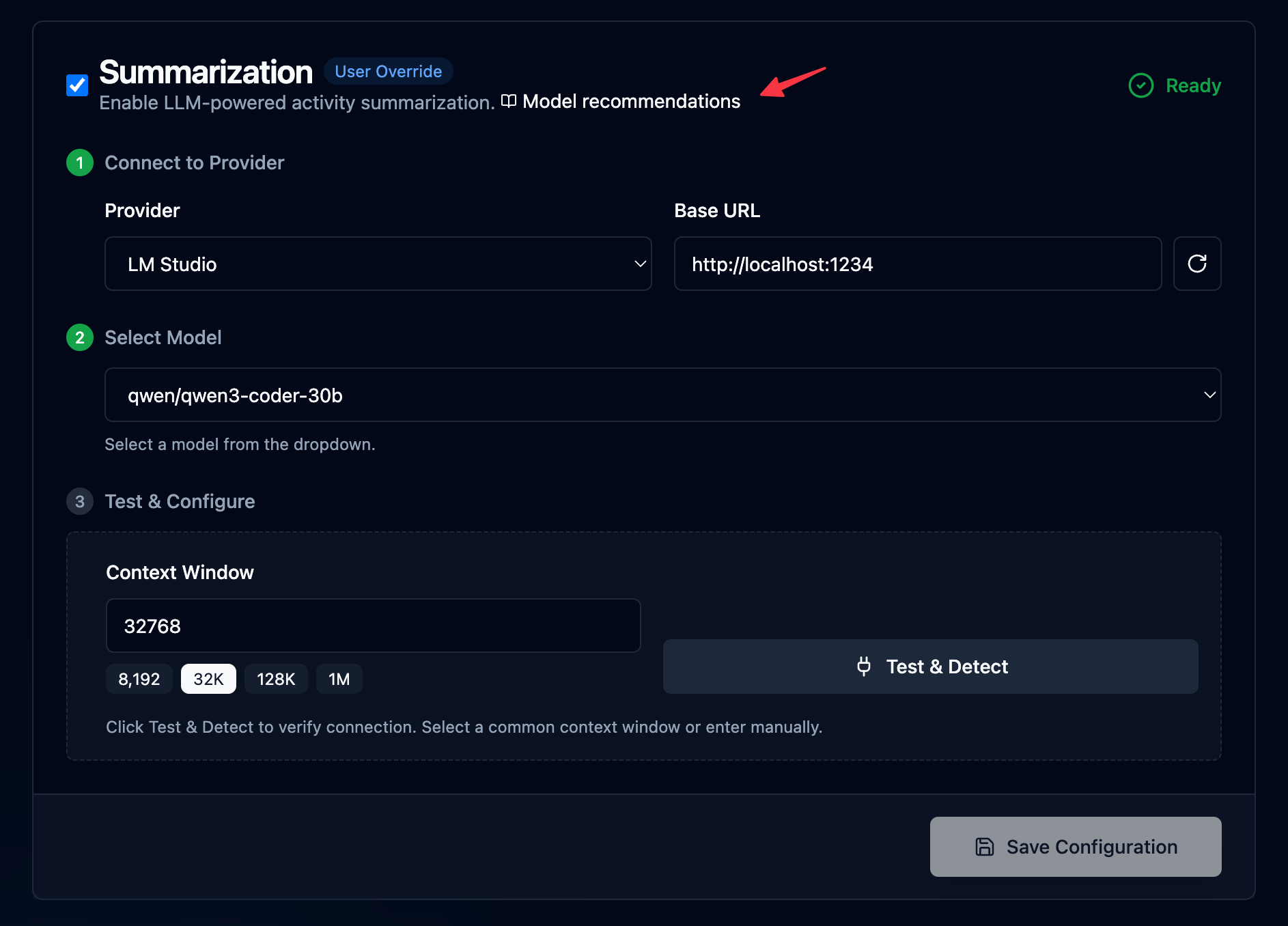
OAK is now running in the background, indexing your code, and listening. The next time you fire up Claude, Cursor, OpenCode, etc, OAK will be there. Now on to the good stuff. Keep reading for a deep dive into what OAK can do today and where it's going in the future.
Using OAK
Background capture, intelligence, and automation
Activity & Semantic search: The "Flight Recorder"
Once OAK is up and running, the Dashboard is your first stop. This gives an at-a-glance view of all OAK activity. Quick stats like Files indexed, total Memories, Session, and Plans, along with System Health and recent Session.
Search
Oak maintains a local vector database in the background, which powers our semantic search across agent sessions, memories, plans, and the current source code. All new activities processed by Oak are embedded in real time and available for you to search via the UI and the agent via the MCP server and skills. This is an incredibly fast and powerful way to get the relevant context quickly. For example, I use OAK to build OAK, so I search for "team sync" across all categories, only with high confidence.
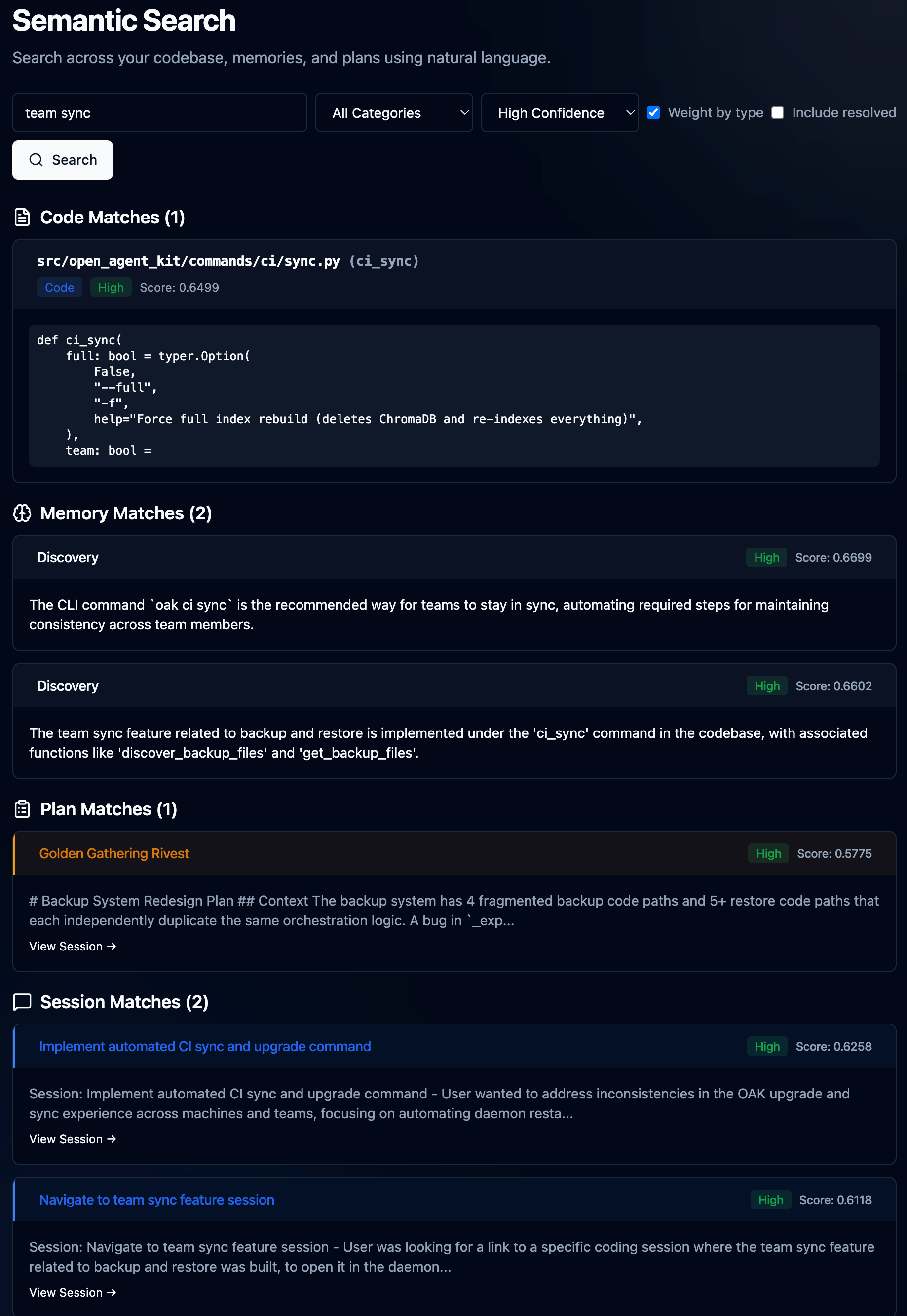
Let's just quickly reflect on what I just did. Now, I have over 230 agent sessions across Claude, Cursor, Codex, and others. Over 83 plans, actual planning sessions with agents that generate plans, e.g., spec-driven development. Over 5k memories, and over 500 code files. And in less than 1 second, my agent and I can get to the most relevant context and content. Then I drill in, read my plan, view the complete session that generated it, and browse to the actual code.
Now, under the hood, without getting too into the weeds, for that, jump over to GitHub, let's talk briefly about how this content is getting created.
Code. I'm using AST-based chunking, which preserves the syntax of your code as it was meant to be understood, and combines it with vector embeddings, allowing you to search by concept rather than keywords.
Memories. These are observations Oak will make in real time using captured agent activity. e.g., your prompts, tool calls, plans, and agent responses. Then, prompting the local LLM to classify and reason about them.
Plans. Markdown plans are captured from plan mode in Claude, Windsurf, Cursor, CoPilot, and other apps that support it. OAK will store this, associate it with the agent session to link the spec to the work, and finally, with the outcome.
Sessions. OAK generates and embeds a session summary, which offers an efficient way to find relevant sessions. Sessions themselves could be long and dense, with dozens of prompts, hundreds of activities, and one or more plans. The session summary compresses all of that, and then you can drill into the details.
Sessions
This is just what it sounds like. I fired up Claud Code, gave it a prompt, and we got to work. The moment you do, OAK gets to work, recording your prompt (save all that fancy prompt engineering), all the work the agent is doing, bash, grep, sub agent exploration, file reads/edits, and finally the agent response summary when work is complete. We call that a prompt batch, which is just one chunk of work, with a session consisting of many. Sessions also have lineage. Complex work that may start with a plan, be executed by an agent team or sub-agents, and then tested and verified, can consist of many Claude code sessions. Claude itself will offer to clear context after a plan and auto-compact context, so that a fresher context can result in a new session. OAK can identify this and automatically link those sessions together. And when that can't be detected, you can manually link them, and OAK will also suggest related sessions to link in the UI, based on conceptually similar summaries. Here is a meaty session from recent OAK work that illustrates these concepts well.
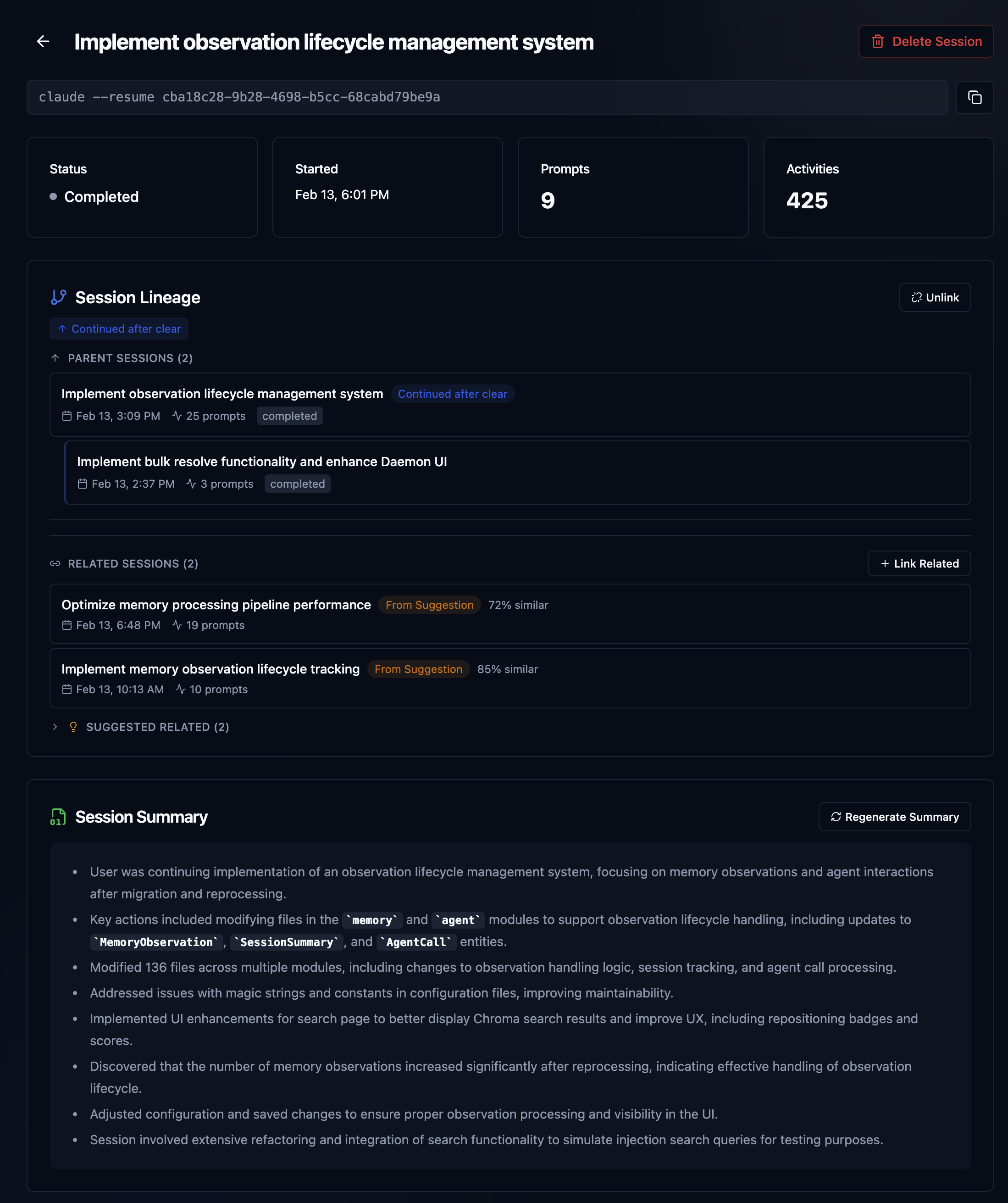
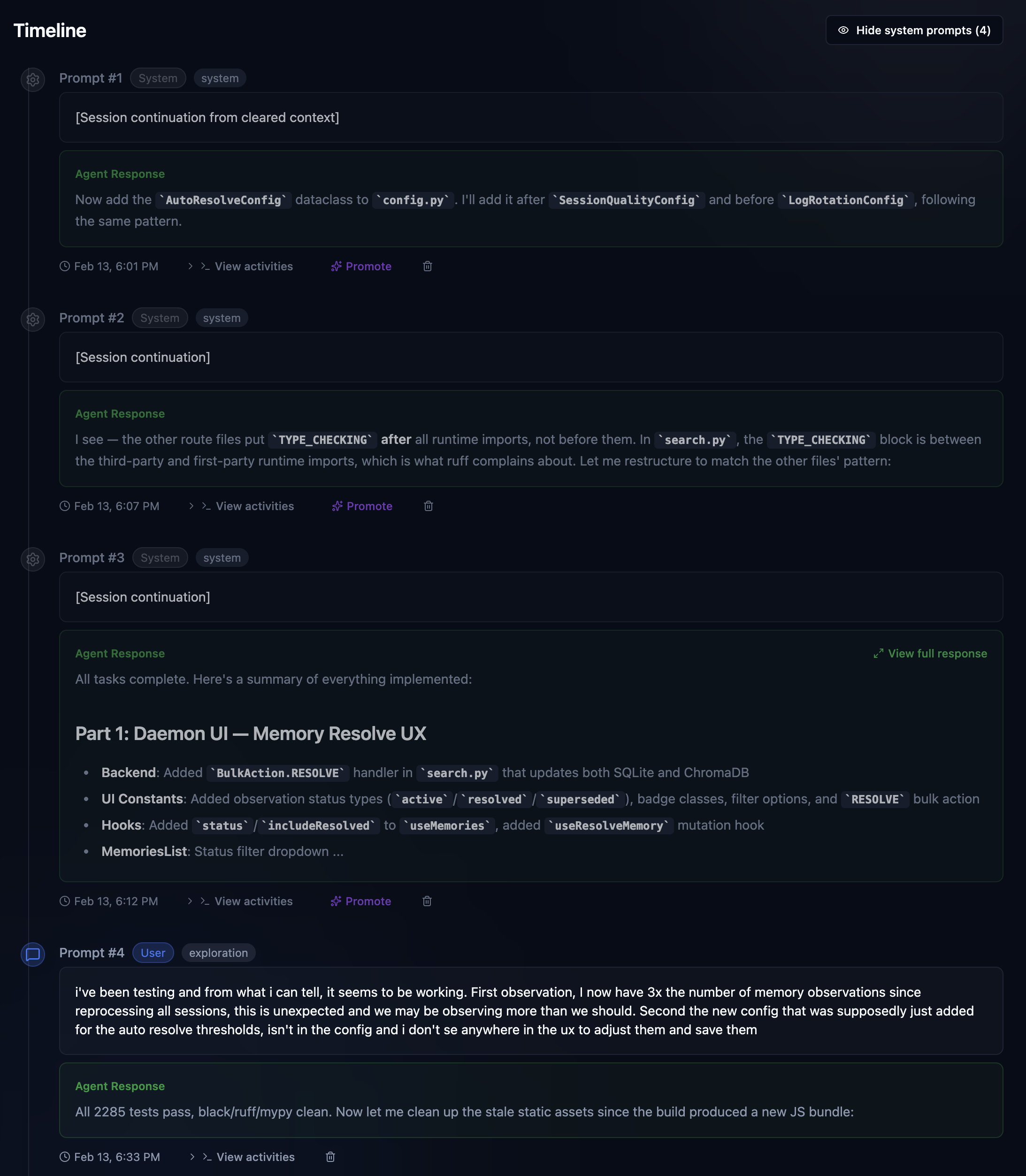
The above sessions show me working on a recent overhaul of the memory and observation system in OAK. The initial design was very useful, but also quite simple. This work was about adding the ability to "observe" whether a memory was no longer relevant or had been superseded by a new one, essentially building in some wisdom, if you will. Unlike raw history, memories should evolve; what was once true may no longer be, or we may know more now, making memories more detailed. As you can see, this was not easy, and it's still evolving. Let's just highlight the stats. Three Claude code sessions, 37 prompts, over 2,000 activities, and 2 plans, each built by an agent team with 5 or more agents per team. Super easy to remember, right? Oh, your team member did it? I'm sure they explained it to you 😄. OAK's got your back.
Plans
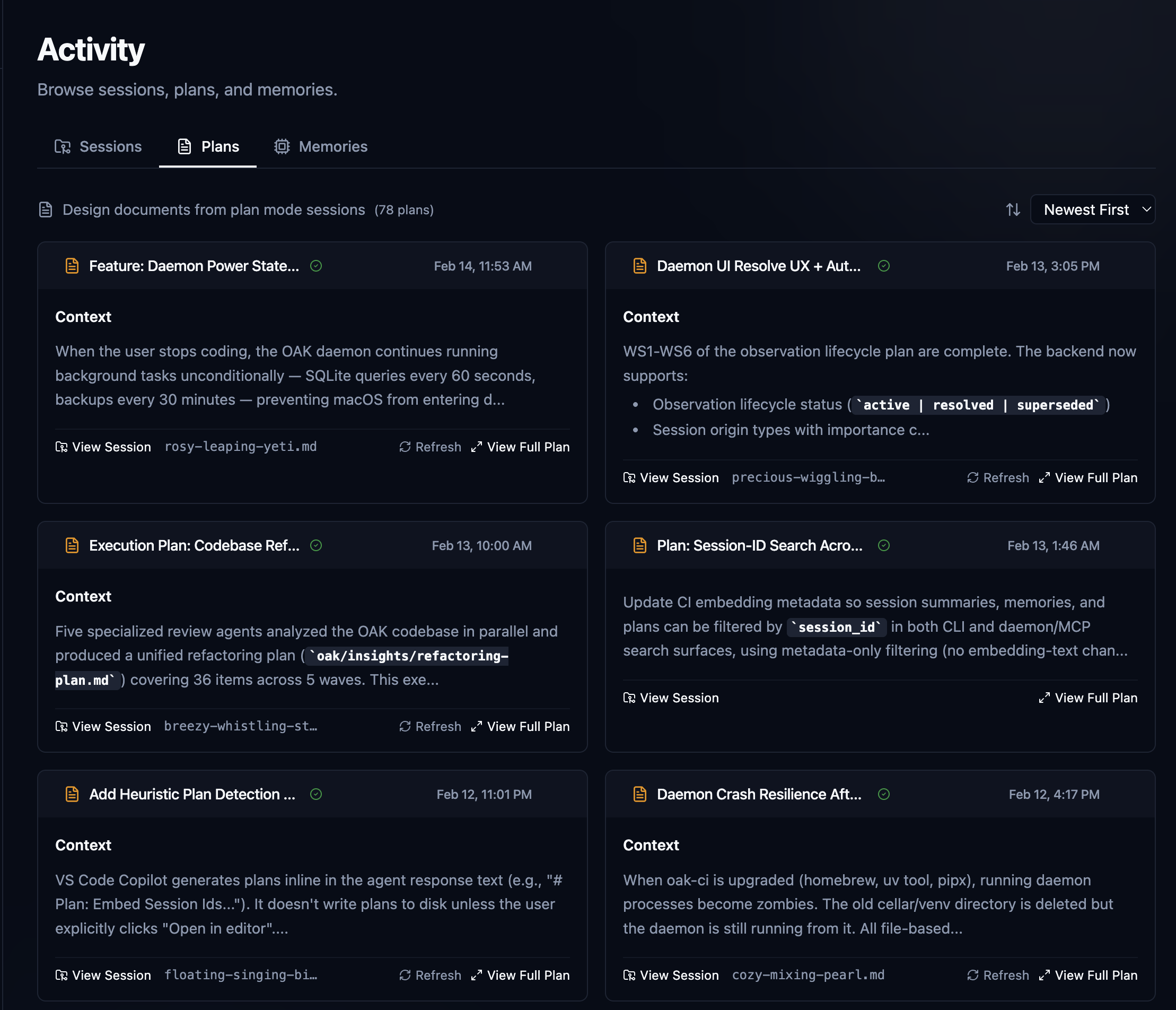
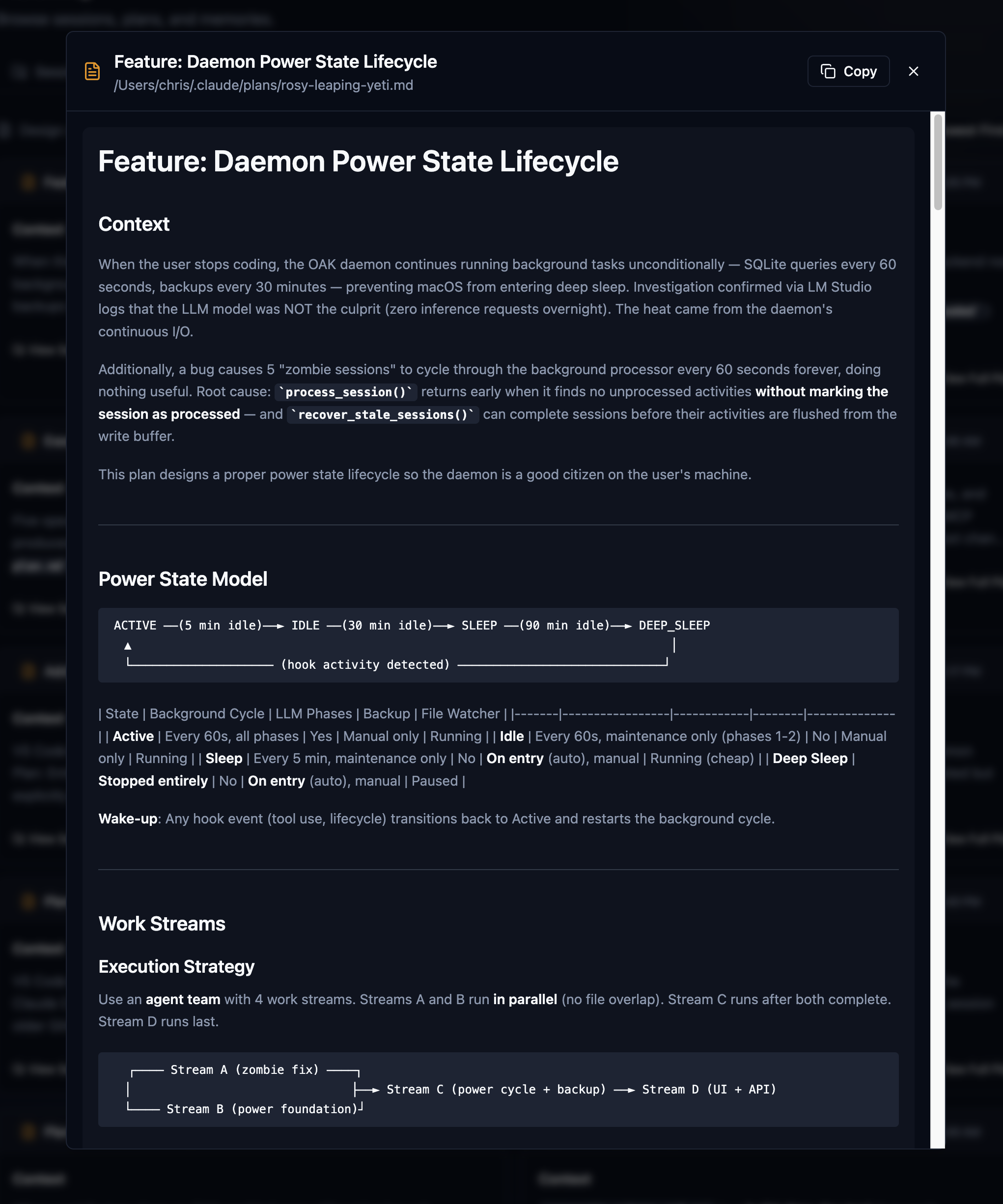
Plan mode is awesome, and you should be using it with your agent, and if your agent doesn't have it, switch to one that does. I would say that, for me, about two out of three sessions start in plan mode and often spawn another plan, depending on how complex the work I'm doing is. This is spec-driven development at its best when it seamlessly integrates into your natural workflow. All OAK is doing here is capturing it, associating it with the session, and embedding it for search. SDD has always lived with the code, whether it's an RFC, a PRD, or just a really good document. However, these plans live with the context, the work, the memory, the observations. I find this to be much richer and more valuable in the long term.
Memories
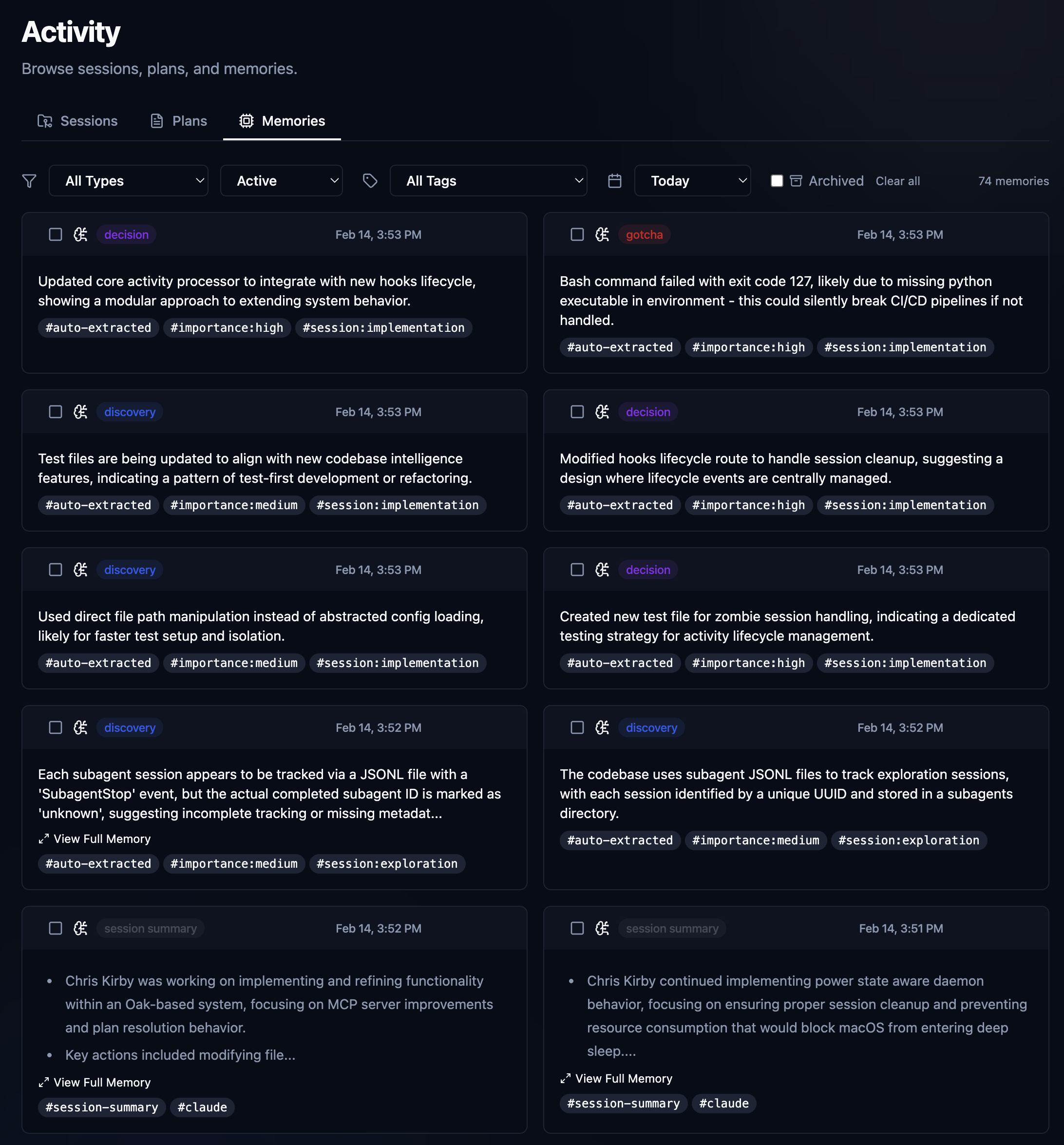
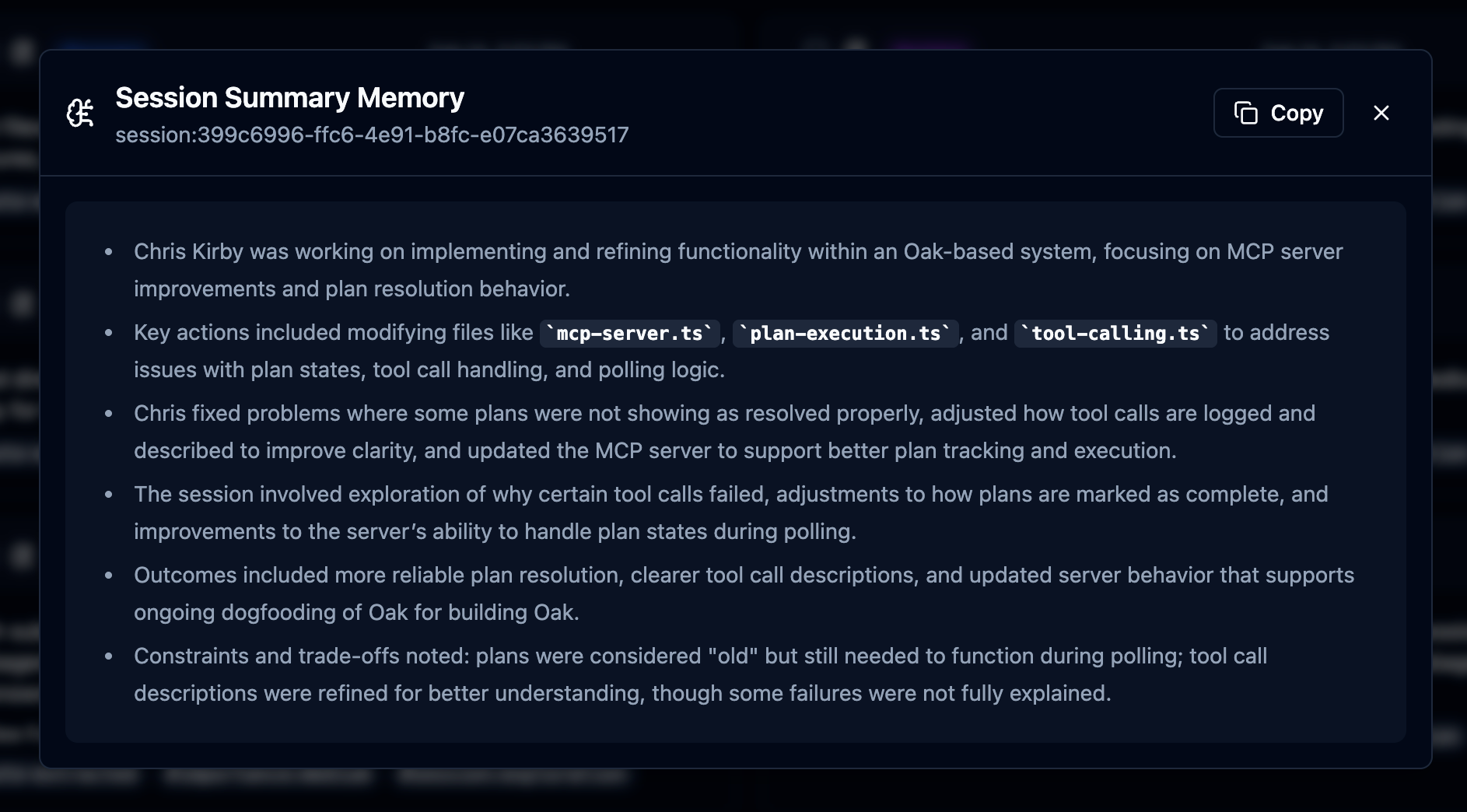
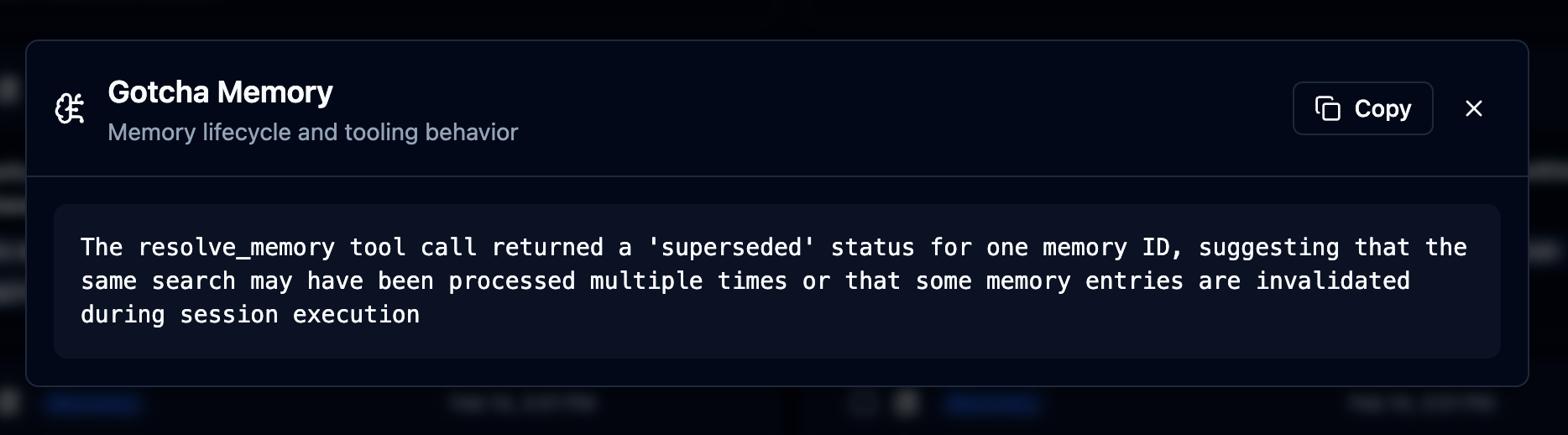
The Memories interface offers a simple way to view all the observations Oak has collected over time. Gotchas, discoveries, decisions, fixes, trade-offs, and session summaries, all available. You can also permanently delete and resolve memories individually and in batches. For the most part, just a visual audit and management interface for all of the observations and content that OAK generates in the background. All of this content is also available via the search, but there are a couple of important things happening here: what you see here is everything we store in the SQLite database locally. What's available in search is everything from the embedded database in our vector database. We do it this way so that the vector database can be rebuilt from the source of truth at any time, or whenever data becomes corrupted or lost. It's a good idea to rebuild every once in a while to control the file size of the Chroma DB database, and it's also how we automatically embed sessions and observations from team member files once we sync up. Tools are provided to manage all of this, and most is done automatically.
Team Sync: Building the Hive Mind
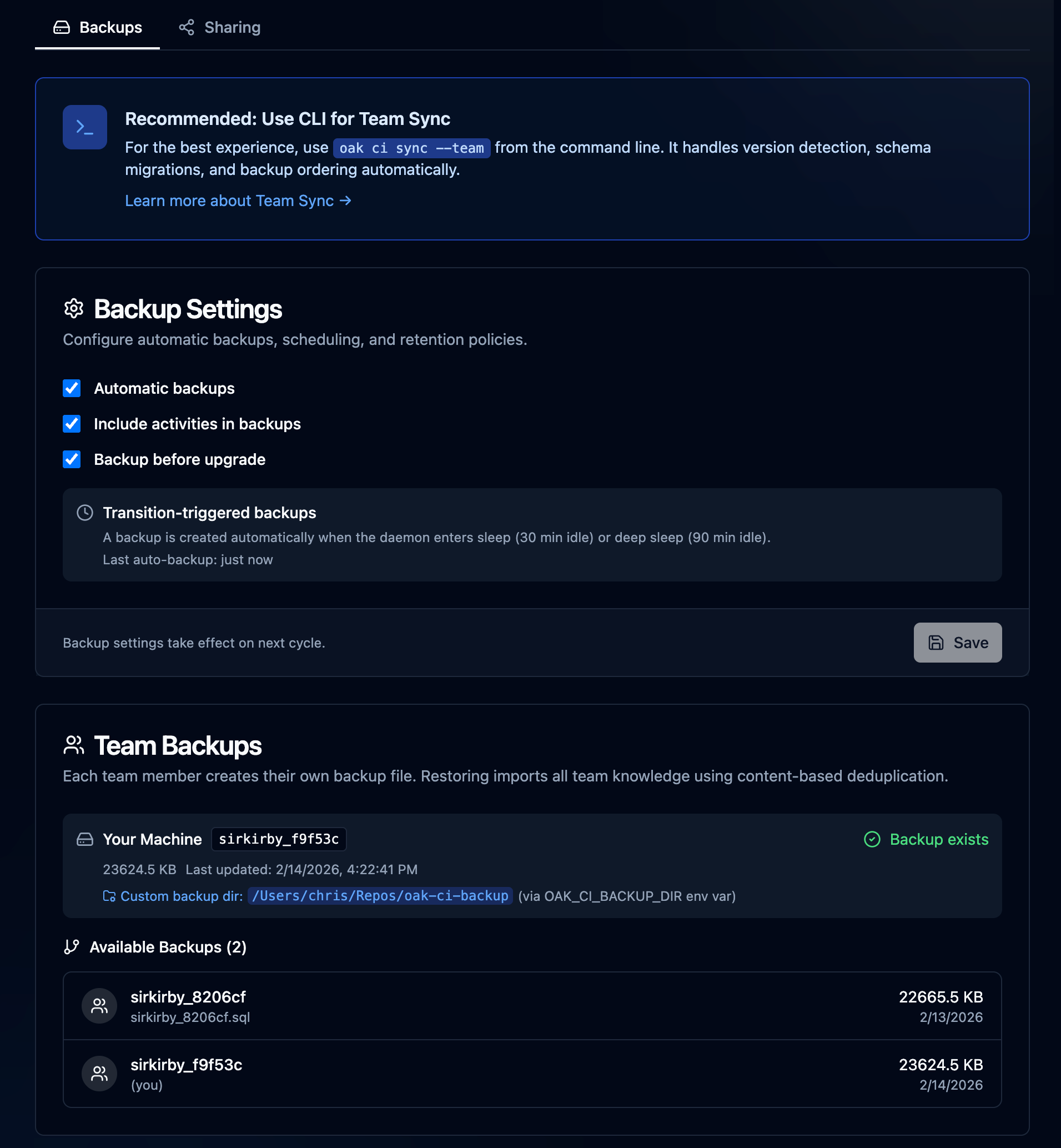
Team Sync aims to solve the "Tower of Babel" problem for teams and organizations in the agentic AI age. How do we get all of my agent sessions, context observations, and everything we've discussed so far into your context agent sessions and observations? Not only that, but how do we differentiate which ones came from my machine or your machine, and then synchronize them so they all play nice together locally? Well, we built a bunch of tooling 🤖.
In practice, we talk a lot about tribal knowledge in organizations, but in the context of how we're building software today, it has a completely different meaning. Me as the developer and the leader of my own tribe. My tribe consists of an army of AI agents all doing work independently and sometimes collectively. However, I still work on a team on a project, and my team member is doing the same. We still have the code and the pull requests, and those are still incredibly valuable. However, as we've discussed, the way it was built, why it was built the way it was, and the problems it solved as it was being built are all incredibly valuable context for the next time you go in and work on a similar feature. And the next time might be a different team member. It might be a junior team member.
With Oak, we've preserved the context, we've preserved the why. Now, Team Sync, as it stands today, is pretty simple. We back up the SQLite database to a directory that is ideally set up with Git, then commit it. By default, this is in the same project in oak/history, or you can easily override it to a shared or more secure location. The file is named in a way that identifies it as yours, and it's tagged to the specific machine. If you use multiple machines, you'll have multiple backup files, one for each. OAK provides an interface and CI tooling to both generate those files and import them into your local database. It then embeds all the new content for indexing so it's available to you and your agents. Tribal knowledge was transferred successfully in just a couple of minutes.
Automatic backup -> project/shared directory> oak ci sync --team --include-activities
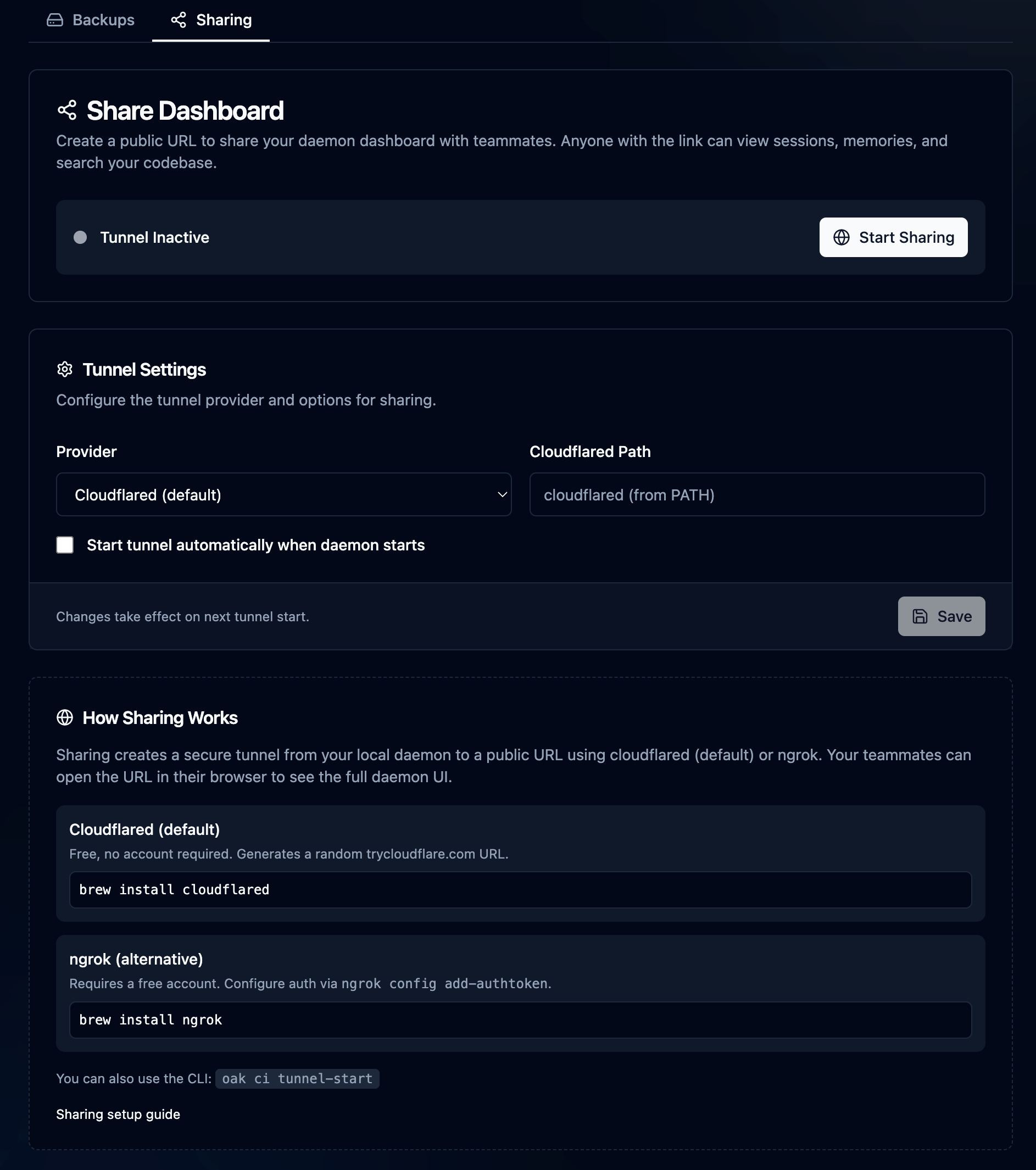
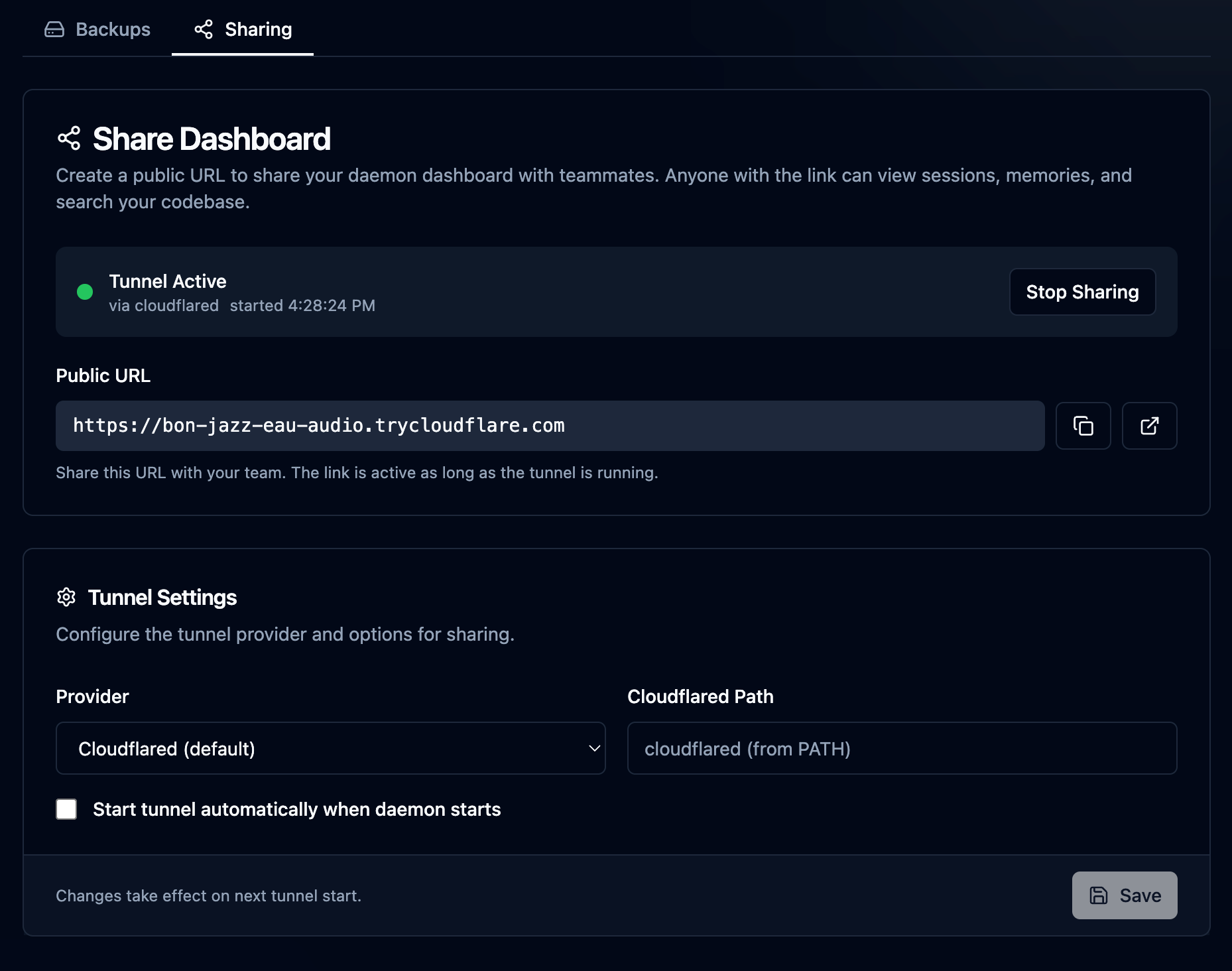
Also in the Team area is the Sharing section. Sharing came about when I wanted to show someone a session I had been working on, but since it was only local on my machine and the person wasn't sitting next to me, I wanted an easy way to do it. Simply start sharing, and a reverse proxy tunnel is opened with cloudflared or ngrok (your choice) using a random URL, and share it with a team member. I have bigger plans for this feature in the future, but for now, it's pretty useful as is...just don't forget to turn it off 😉
OAK Agents: Turning Context into Action
If the Activity Dashboard is the "Flight Recorder," then OAK Agents are the autopilot. Recording context is vital, but the real power comes when you put it to work. I didn't just build OAK to be a librarian; I built it to be an active member of the engineering team.
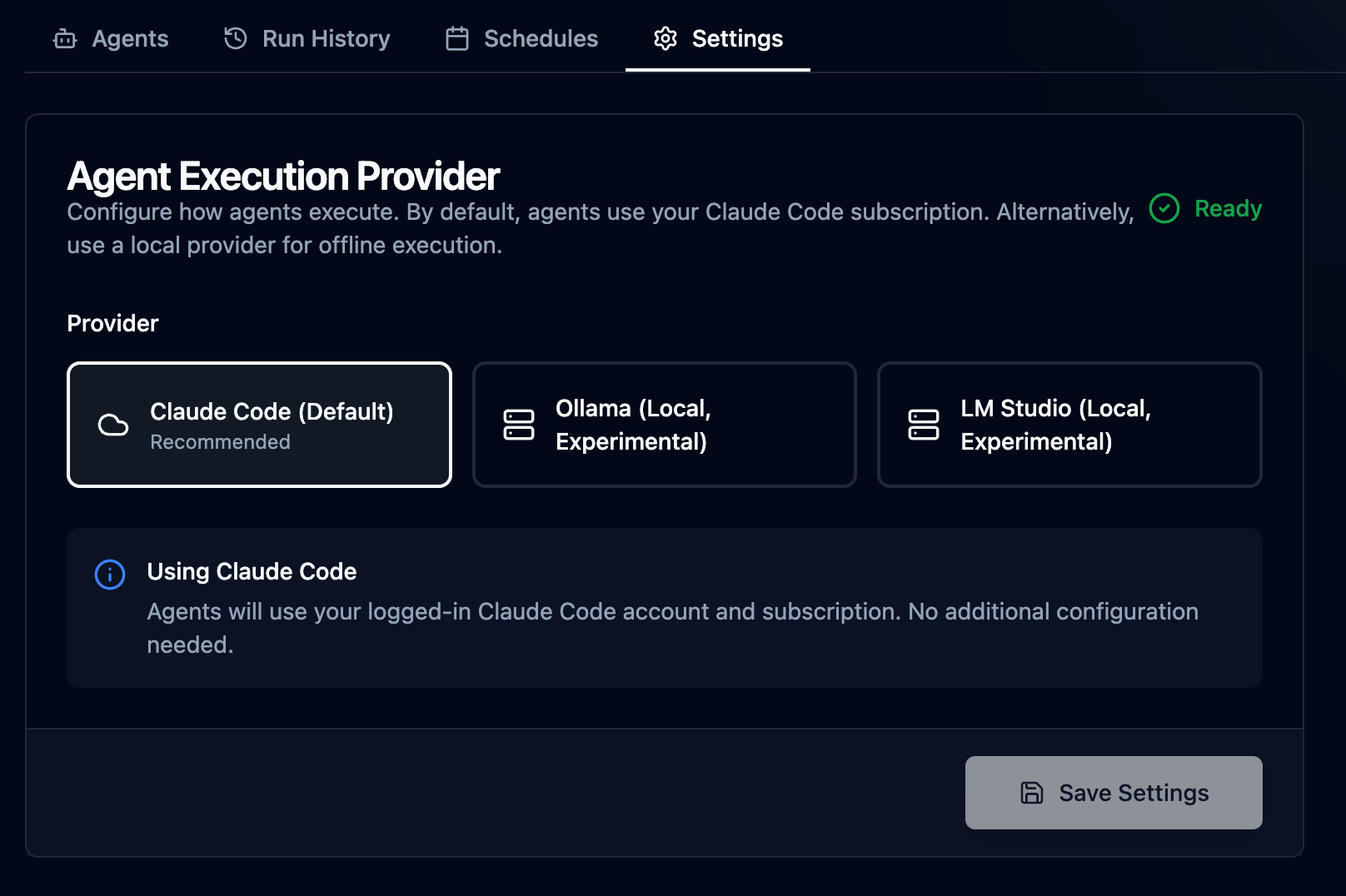
OAK supports Claude Agent SDK-powered agents and autonomous tasks that can perform work in the background. Because these agents have access to the full OAK "memory index"—including context-rich automations. We can give our agents specific tools, skills, system prompts, and task prompts to perform specific, repeatable tasks that produce very high-quality results. Agents have a rich schema, a declarative manifest for building custom agent tasks, and we ship many built-in agent tasks available after initialization. By leveraging Claude Code under the hood, it uses your same subscription to perform the work. We also have experimental support for using local LLMs with the agent SDK through Ollama and LM Studio. Examples of the built-in agent tasks:
Auto-Documentation: Instead of writing CHANGELOG updates manually, an OAK agent can scan the week's changes, cross-reference them with the "intent" captured in our sessions, and generate documentation that explains why changes were made, not just what changed.
Surfacing Insights: OAK Agents can analyze the development velocity and friction points, highlighting areas where the team seems to be fighting the codebase.
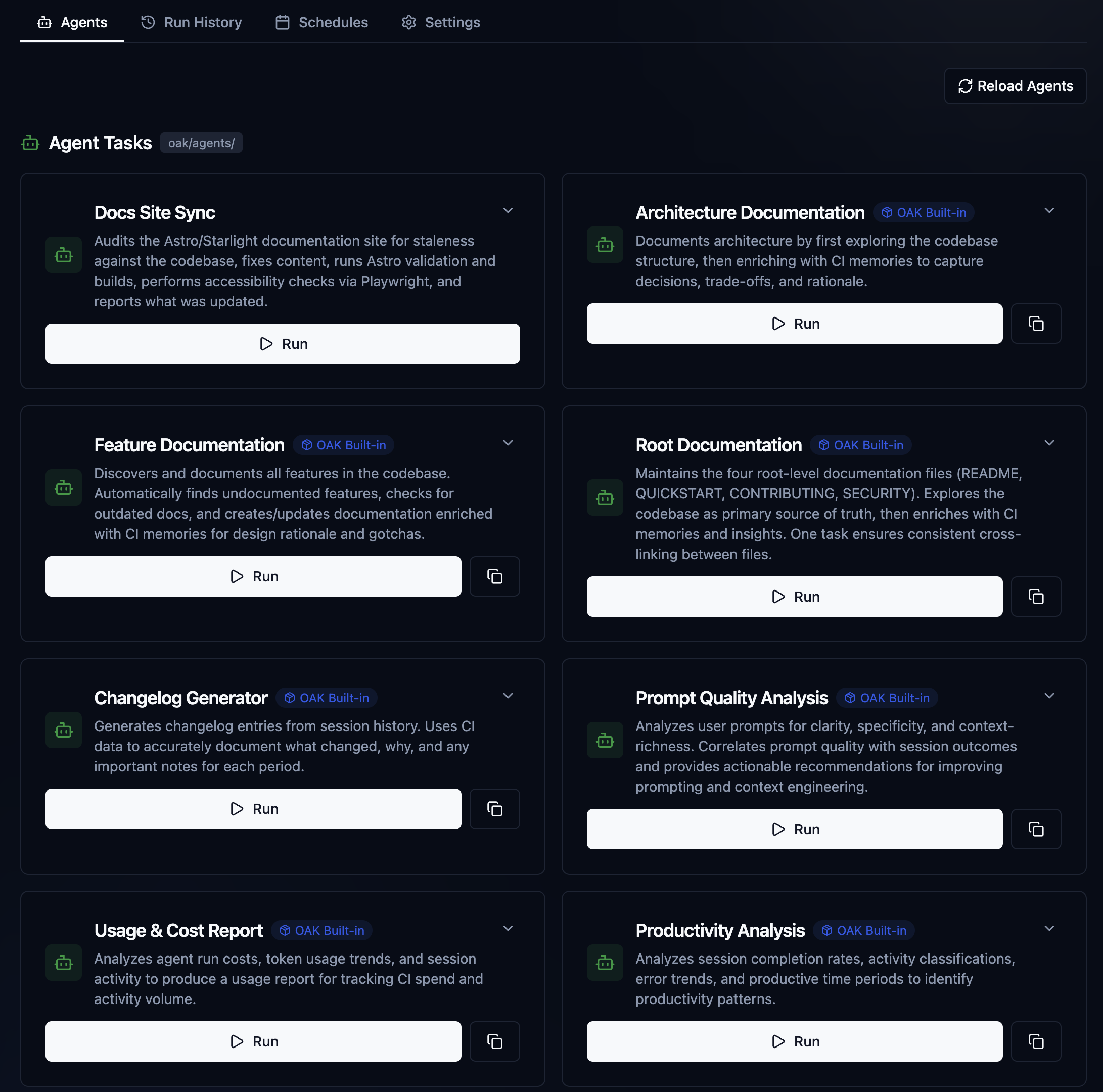
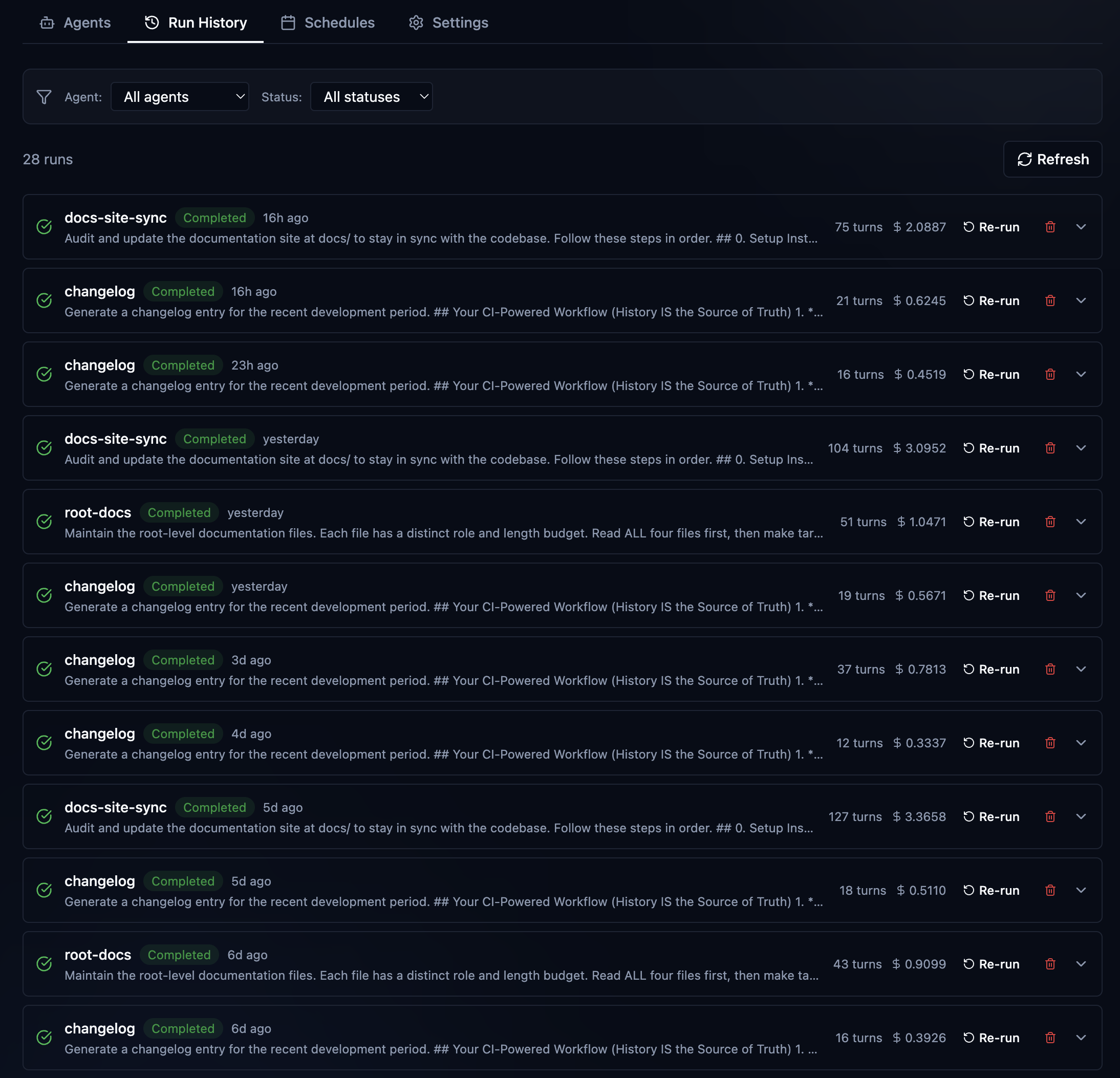
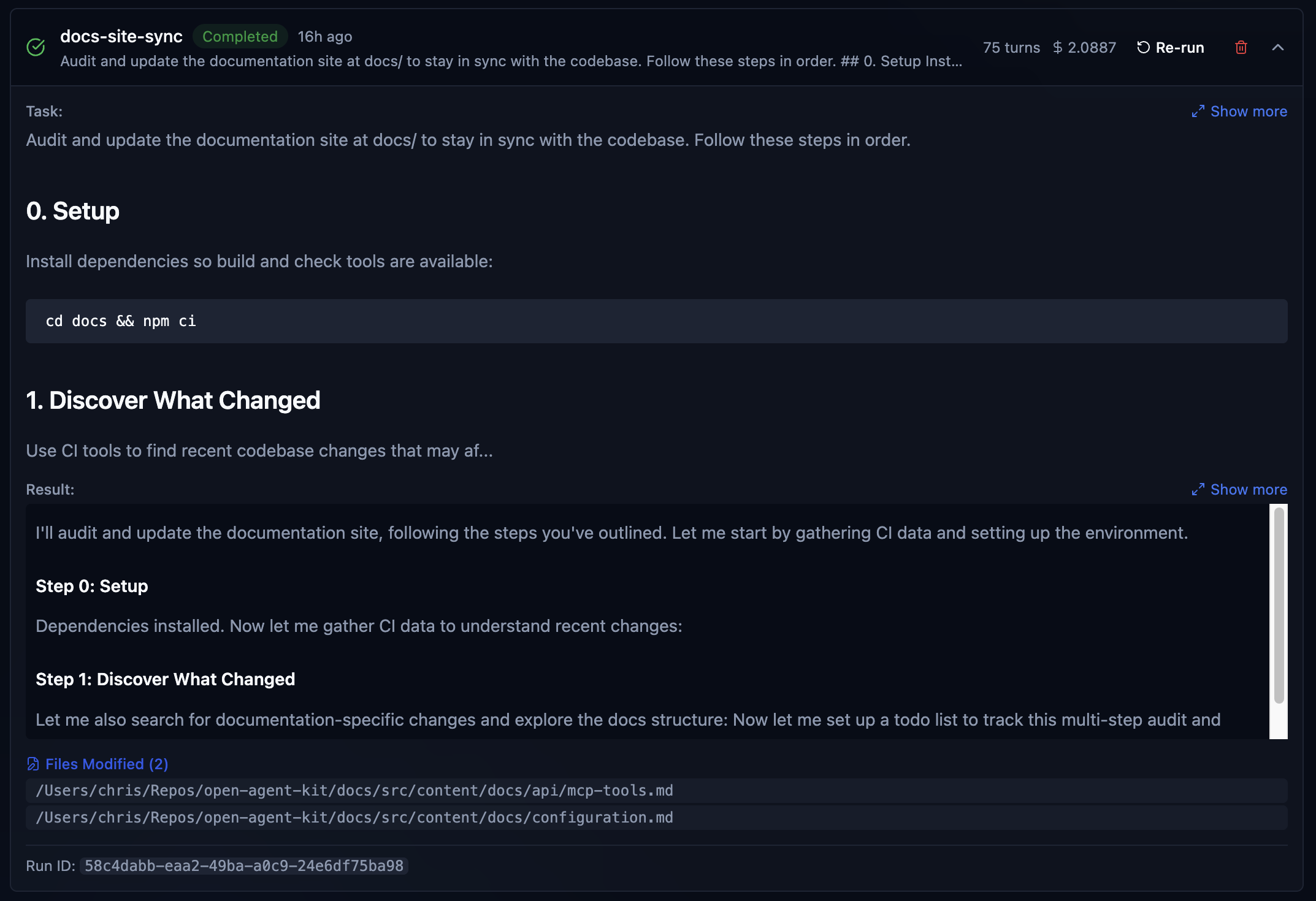
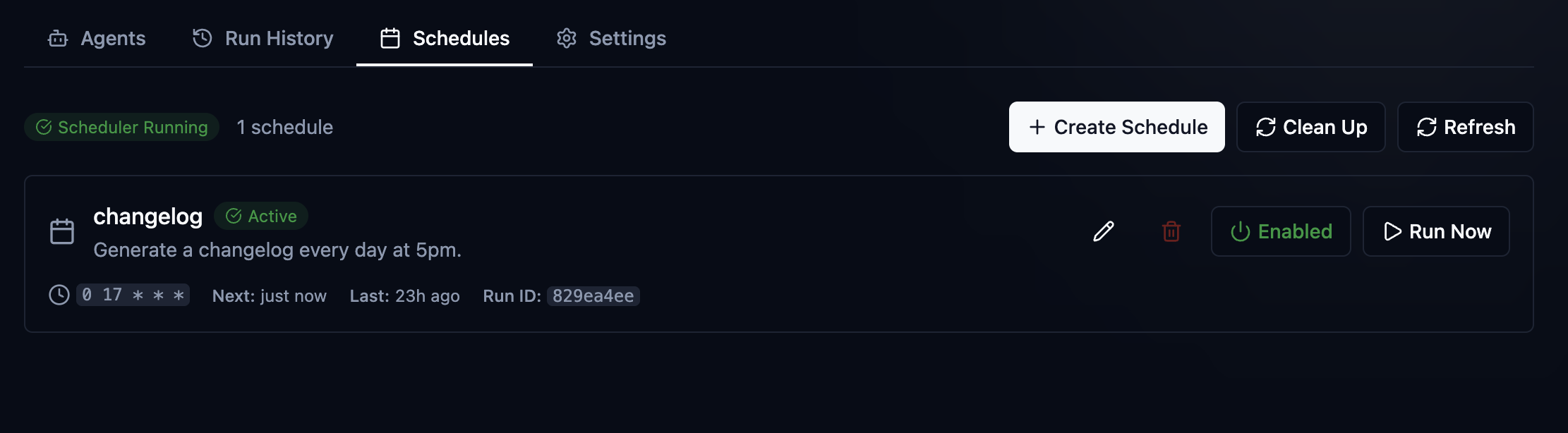
This is just the start of this feature. I have many ideas and big plans. OAK agents today are already maintaining all OAK project documentation, including the Atstro documentation site. Maintaining an active, semantically rich changelog. As well as analyzing my prompt and session quality, offering suggestions and insights. But you can see the power of this. A bug hunting and fixing agent, with all of the context of OAK at its disposal, with specific tools and guard rails only possible with using the Agent SDK, and some of those hyperbolic claims get closer to reality.
The Plumbing
As I've been building Oak, it's become increasingly complex. With that complexity, the drive to push for simplicity. Most of the tooling I package with OAK is meant to be used by agents and agents alone. However, there is some tooling designed for you, the developer, to ensure everything stays up to date and running. Let's talk a little bit now about the underbelly, some of the things you'll interact with, and what some of the things wired up behind the scenes do.
Upgrade lifecycle
Keep the package up to date: brew upgrade oak-ci . When upgraded, most functionality just works. The daemon ui will see the update and ask you to restart. You click, it starts, and you get the new stuff. When changes to the installed assets of OAK are updated, things like agent skills, configuration, etc, you run oak upgrade in your project, and OAK handles the rest. When you are working with a new agent and want to wire it up with OAK, oak init Select the agent, and then the hooks, skills, and MCP are wired up.
OAK's MCP server
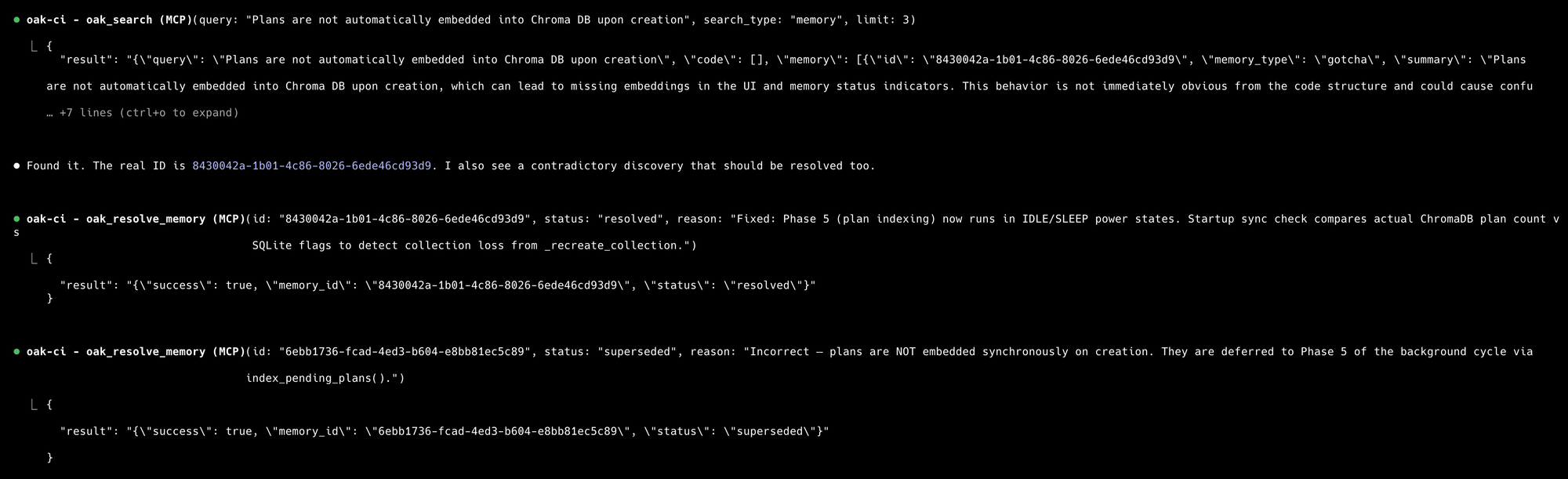
When you enable an agent like Claude or Cursor in your project with oak init OAK's MCP server is automatically configured for each agent, and it runs in the background alongside the UI and API. The MCP server has four tools:
oak_remember- When the agent makes a decision, gotcha, discovery, etc., it chooses to preserve that in OAK. This is a valuable and frequently used tool for agents, offering rich, accurate memories.oak_search- searches our vector database across code and all memory categories.oak_context- gets memory-related information on specific files in the codebase.oak_resolve- new tool for resolving outdated or superseded memories, often used in combination with search

Skills
Two skills are installed by default when you initialize OAK:
- The Codebase Intelligence Skill - An agent and user invokable skill to fully interact with the OAK platform. It knows how to work with both the SQLite and ChromaDB databases. When asking an agent about sessions, memories, and plans, the skill quickly retrieves the information and loads it into context. It's also useful to invoke the skill yourself and just use the agent to do anything and everything you could do with the UI.
/codebase-intelligence find the work we completed on the memory lifecycle feature and lets start work on adding proper lineage, mentiond as future work in the plan. Skip the token eating exploration and get to the relevant info sooner. - The Project Governance Skill - While OAK is the keeper of context, that doesn't mean your project doesn't need a strong project Constitution, aka, the rules file or system prompt. With OAK's support for multiple agents in a single project, each with their own rules files and standards, project governance is a skill that helps you manage them all. It will build your projects
oak/constitution.mdand synchronize them with all of the rules filesCLAUDE.md,AGENTS.md,copilot-instructions.md, etc. This works for brownfield or greenfield projects and will not replace or overwrite your rules files; it will, in fact, use that information to build your constitution./project-governnance lets build our projects's constitution. or amending our constitution.Use project governance to add a new rule, no magic strings or numbers, we must use constants.
Wrap up and the road ahead
This has been a fun project to work on, and I plan to continue working on it. I'm also curious to hear other ideas, as I know many people are thinking about these challenges and coming up with ways to solve them. This is just my take on it. First and foremost, I built this to solve the challenges I was having. I want to use multiple agents in a project and have a way to preserve and understand all the work being done without getting in the way of the coding agent. That's why OAK is not an agent framework. It's not a wrapper around Claude. It simply sits beside it. How do you trust everything the agent is doing? You could review everything line by line, and I often still do. But now I think about the problem differently. The agents and the models they use are highly capable but will make mistakes, so offer them better context to help reduce them and use other agents to verify their work. We are just at the very beginning of these types of workflows. So I can't wait to see how the tooling evolves and how we evolve with it.
There's so much more that I didn't cover in this already very long blog post. So come join me over on GitHub to dig in further. See you there!